
Introduction
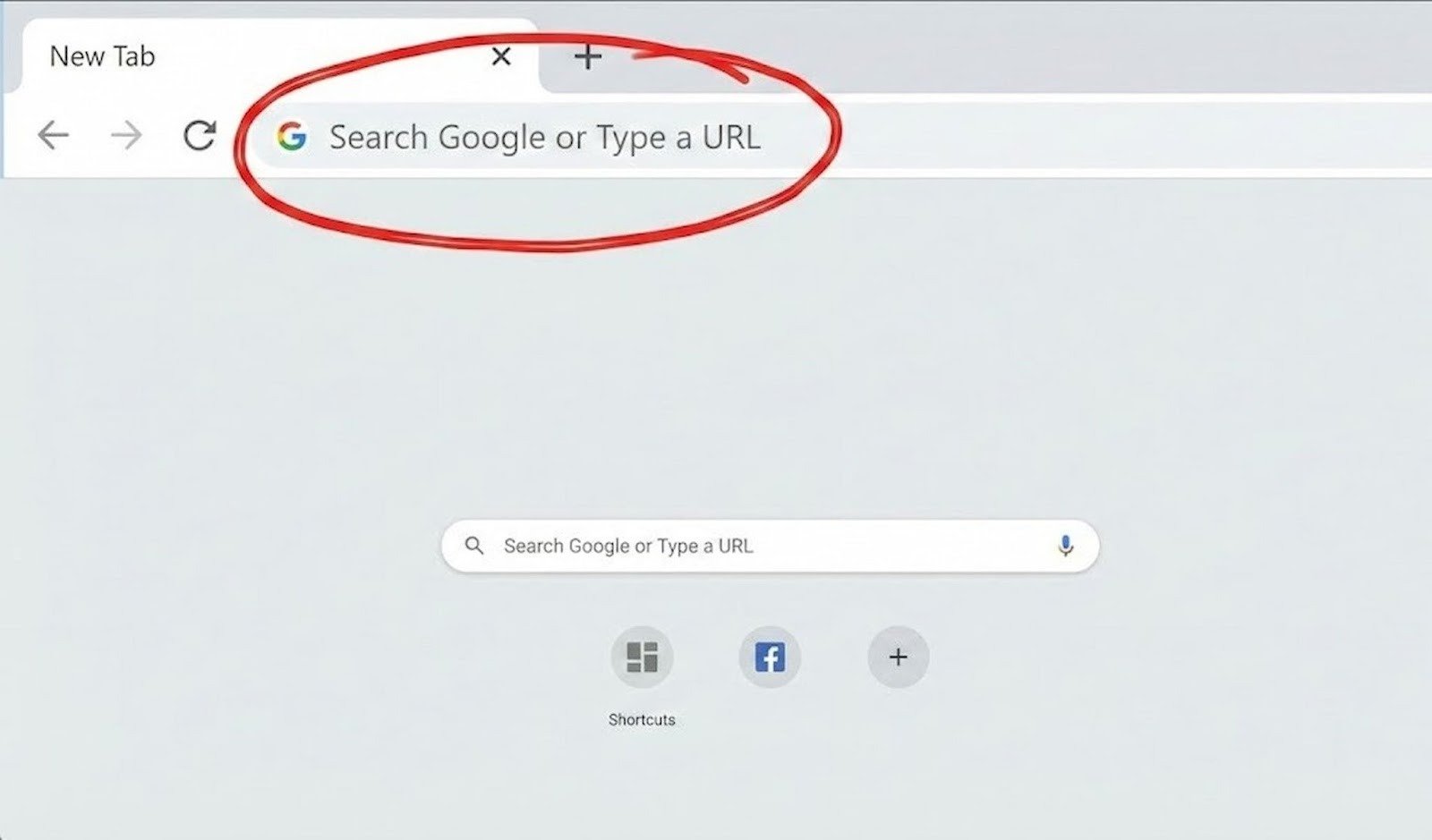
If you open a browser like Google Chrome, Microsoft Edge, Firefox, or Brave, you will notice the long bar at the top of the screen. Most of the time a message inside this bar reads “Search Google or Type a URL.“
For beginners, this message can be very puzzling. People come up with these questions:
- Is it a Google search box?
- What is a URL?
- Should I type a website name or search words?
This, the guide, is your doubt-fixing companion. By the end of the article, you’ll know exactly what “search google or type a url” means and how to use it in 2026.
Meaning of “Search Google or Type a URL”
The message “search google or type a url” is just another way for the browser address bar to tell you that it is capable of two things:
- Allowing you to search anything on Google
- Allowing you to open a website directly by typing its URL
To save you the trouble of having a separate search box and address bar, modern browsers unite the two features in one smart bar. It’s basically a nickname for this feature, the Omnibox. Google’s official guide on using the address bar
Simple Explanation: What is a URL?
A URL (Uniform Resource Locator) is the address of a website.
Examples of URLs include:
- https://www.google.com
- https://www.youtube.com
- https://www.wikipedia.org
The browser, when you type a URL in the address bar and hit Enter, it will take you directly to that website. Detailed explanation of a URL.
What Happens When You Search in the Address Bar?
If, instead of a complete (or absolute) web address, you write ordinary words, the browser infers that you want to make a Google search.
Example:
- Typing: best smartphones 2026
- Result: The Google search results page opens
This is how the “search google or type a url” message makes sense — the browser either way is the one deciding for you.
How the Address Bar Decides Between Search and URL
Browsers use smart detection to understand your input:
| What You Type | Browser Action |
| google.com | Opens website |
| www.facebook.com | Opens website |
| Searches on Google | |
| how to learn English | Searches on Google |
If the text looks like a website address, the browser opens it. If not, it performs a Google search.
Google Search vs. Typing a URL
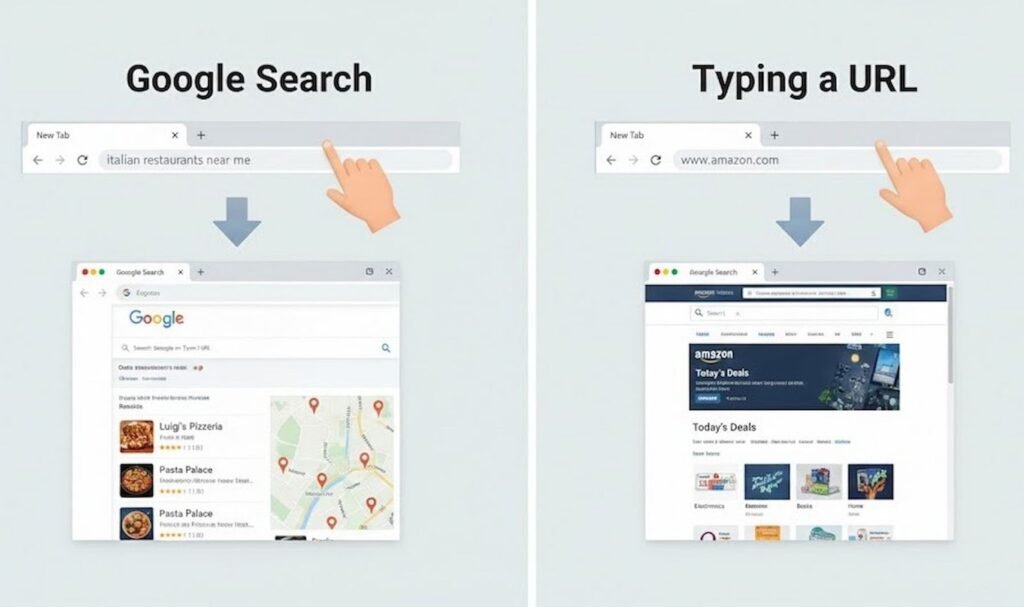
Many newbies are unaware of the fact that these two operations are essentially different.
Google Search
- Used to find a piece of information
- Provides you with quite a few results
Helpful when you are not sure about the website name
Typing a URL
- You get the particular website that you want to open
- It is the quickest way to the site
- Perfect when you know the exact address
Grasping this difference is a stepping stone for you to browse faster and smarter.
Why Browsers Show This Message
The message “search google or type a url” is there to:
- Help new users to be guided
- Minimize the number of confused users
- Make using the internet easier
- Save user’s precious time
New browsers are very much into making things simple, especially for the newbies and those who use their phones to access the web.
Search Google or Type a URL – More Examples You Can Relate to
Here are some real-life examples:
- Want to watch videos → Type youtube.com
- Want information → Type what is artificial intelligence
- Want shopping → Type amazon.com
- Want news → Type latest world news
Only one bar, yet can be used in different ways.
Which Common Mistakes Do Beginners Make?
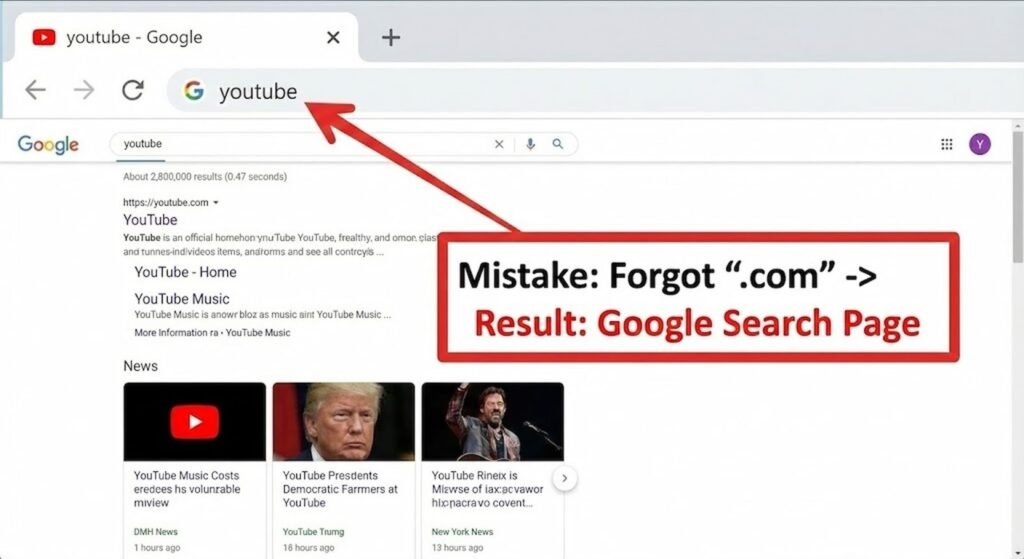
Lots of users make errors simply because of terrible minor mistakes:
1. Entering incomplete URLs
For example, using facebook instead of facebook.com
2. Putting spaces in URLs
URLs don’t have spaces.
3. Mix up search terms and web addresses
Most of the time, those errors will take you to a search result page rather than to a website.
How to Fix These Mistakes
- When you want to go to a website, type .com, .org, or .net at the end
- Keep URLs free from spaces
- Use a search query to look for information only
Once you get used to them, none of these problems will keep bothering you.
Is It Safe to Use the Address Bar for Search?
Definitely safe! Today’s browsers are always committed to using encryption to keep the user safe while also preventing exposure to harmful websites.
However, basically:
- Make sure you typed the website name right
- Don’t click on suspicious links
- Look for the lock symbol (🔒) that indicates it is a secure website in the address bar
Search Google or Type a URL on the Phone
Just like the desktop version, the address bar on the phone is:
- Type keywords → Google result
- Type website address → Site will open
Since mobile browsing is ahead of the desktop in 2026, familiarizing yourself with this function is crucial.
Features of the Address Bar Beyond Basic (2026)
These are the new up-to-date browser features which can be accessed through the address bar:
- Voice search
- Auto-suggestions
- AI-powered search results
- Faster website loading
All these are merely extensions of the two main functions of “search google or type a url.“
Why This Feature Is Important for Beginners
This feature:
- Saves one’s time
- Lessens confusion
- Is very user-friendly
- Is the same across all devices
Therefore, these are among the top things one must get to know when using the internet.
FAQs
1. What is meant by search google or type a url?
It means two options are available to you at the address bar: a Google search or directly opening a website.
2. Is the address bar the same as the Google search bar?
No. However, today’s browsers usually merge both features in one smart bar.
3. What will happen if I type the wrong URL?
Most likely, the browser will show the search results instead of opening a website.
4. Can I swap Google with another search engine?
Of course, browsers give you the option to change your default search engine.
5. Is it quicker to type a URL than to search?
Yeah, provided you know the precise web address.
6. Is the feature available on all browsers?
To a large extent, this is true.
Conclusion
Seeing the search google or type a url message should not be troublesome or be considered a mistake.
Once you’re able to operate this feature, you can:
- Surf the web more quickly
- Avoid getting lost
- Use the internet with confidence
For 2026, it is the most basic yet crucial concept that every internet user, desktop or mobile, should understand.
